The Free Open-Source RC Lap Timer

Your Phone Is
Your Finish Line.

No special hardware. No subscription. No Ads. Just point, draw, and race. LapTrack uses your phone's camera to accurately time your laps. Perfect for time trials, solo practice runs, and rally.

See How It Works

Open the app in your browser →

Everything you need.
Nothing you don't.

Camera-Based Detection

No hardware needed. Uses your phone's camera to detect every crossing, every lap. Works with any car. (heck, it even works with drones!)

Custom Trigger Zone

Draw your detection line directly on a live feed, allowing you to set up your phone at any angle to the Start/Finish line.

Real-Time Lap Audio

Configurable TTS voice announces every lap time the moment your car crosses, keeping you up to date on your performance without taking your eyes off the track.

Offline Ready

Full offline support. Letting you practice anywhere, anytime.

Easy to Use Controls

Extra-large buttons and high-contrast UI make setup fast and easy. No extra, unnecessary elements to distract you from your race.

Session History

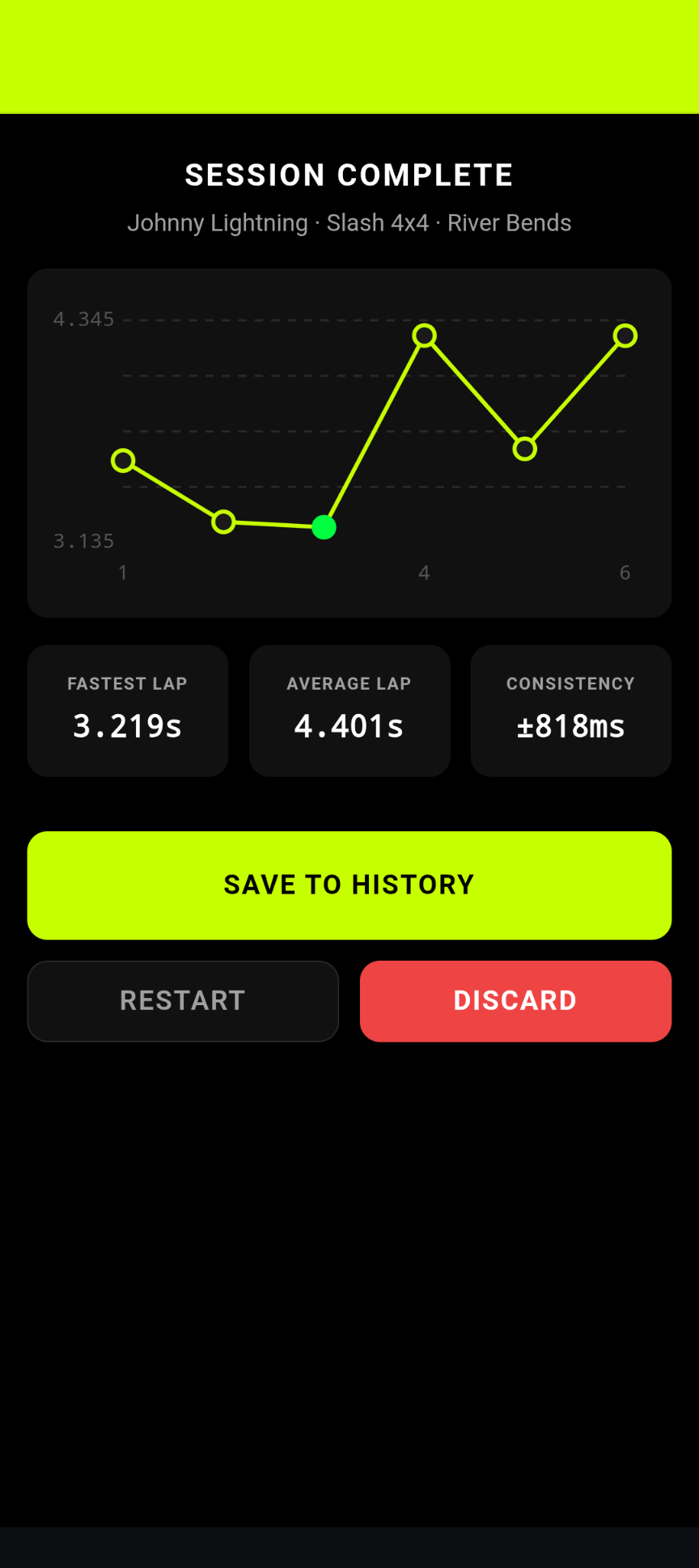
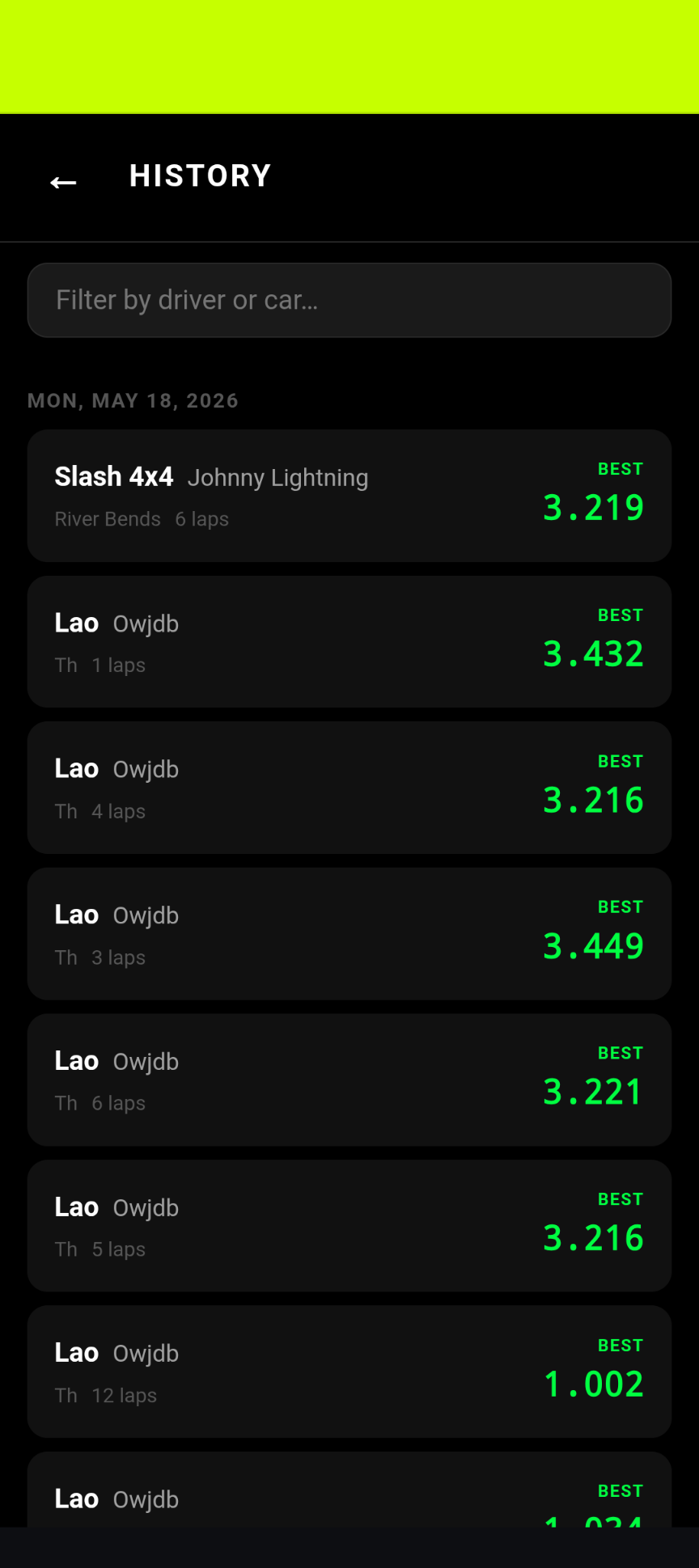
Every session saved locally. Review lap tables, charts, and personal bests anytime.

Setting up your first session takes just seconds:

Point & Draw

Open the app, aim the camera at your finish line, drag to draw your Trigger Zone on the live feed.
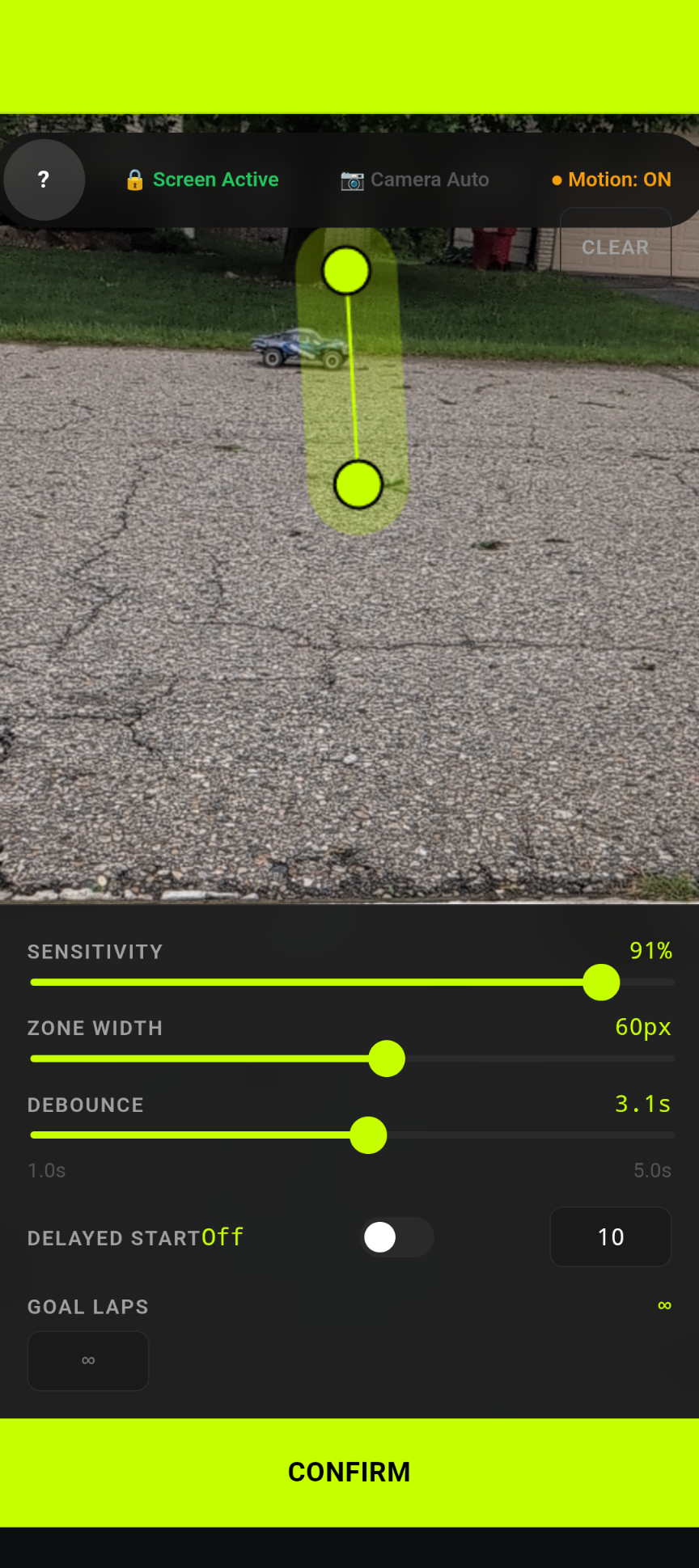
LapTrack viewfinder showing a live camera feed with an Electric Lime trigger zone line drawn across the finish line

Lock & Calibrate

Test sensitivity, adjust trigger line width, and set delay.

LapTrack viewfinder calibration panel showing Sensitivity, Debounce, and Zone Width sliders

Race

Hit Start. Laps are clocked automatically every time your car crosses the Start/Finish line.
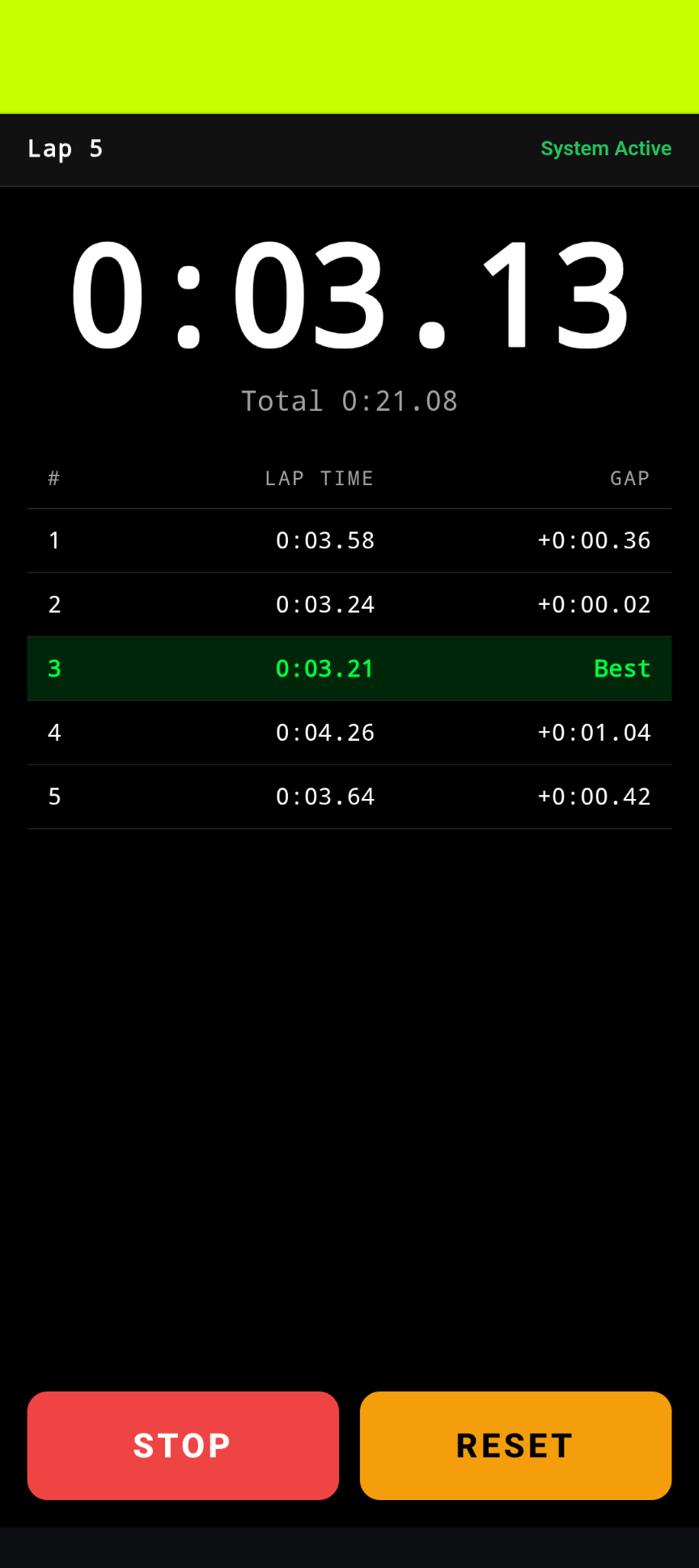
LapTrack race dashboard on Lap 5 showing live lap times with the best lap highlighted in Electric Lime
Free. Instant. No App Store.

LapTrack is a cross-platform installable web app. Install it directly from your browser — no app store, no account, totally free.

Works on any device, any OS, any browser — Open the app →
iOS Safari
  1. Open this page in Safari on your iPhone or iPad
  2. Tap the Share button
  3. Scroll down and tap “Add to Home Screen”
  4. Tap “Add” to confirm
Android Chrome
  1. Open this page in Chrome on Android
  2. Tap the three-dot menu ⋮
  3. Tap “Add to Home Screen” or “Install App”
  4. Tap “Install” to confirm
Desktop Chrome / Edge
  1. Look for the install icon in the address bar (computer icon)
  2. Click it and select “Install”
  3. Or open the menu → “Install LapTrack”

See It in Action

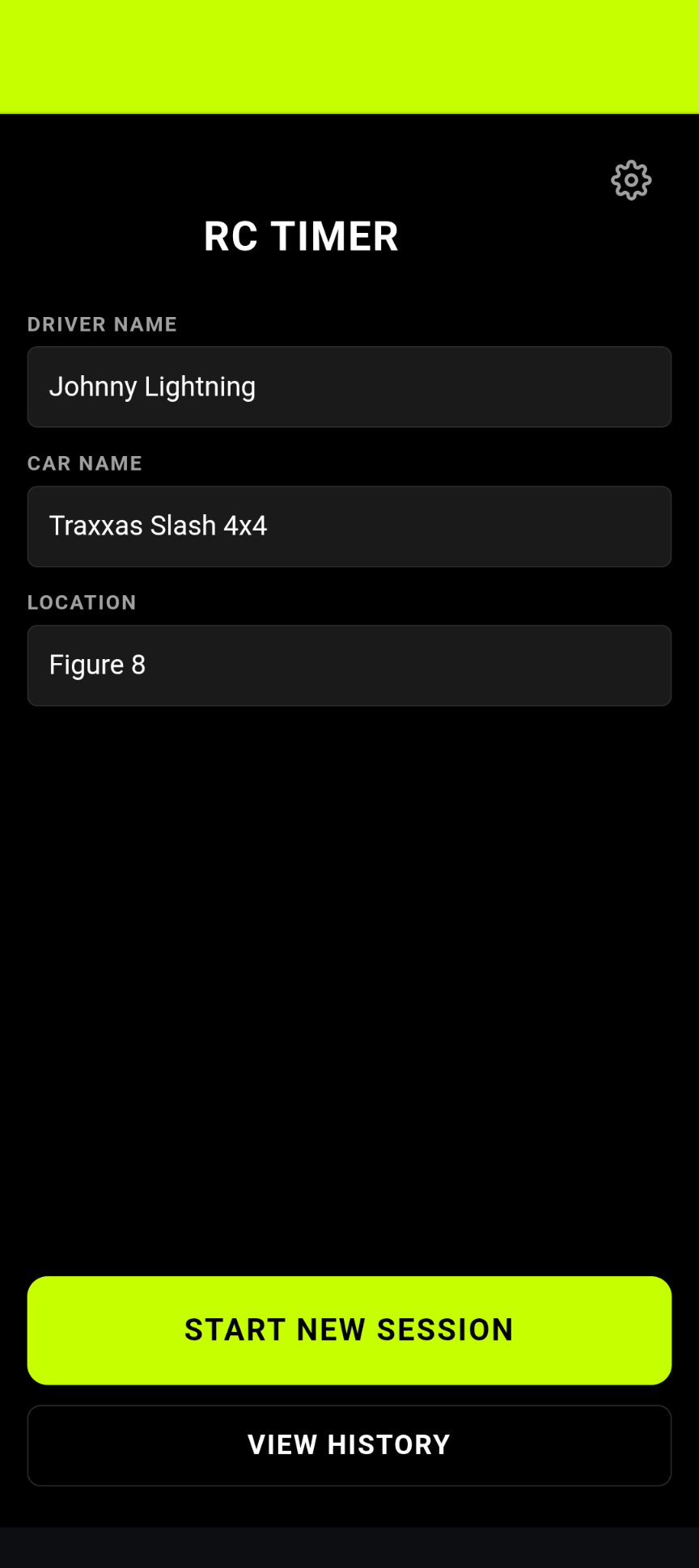
LapTrack home screen showing the start session button and app branding
Ready to Race
LapTrack viewfinder screen showing a live camera feed with an Electric Lime trigger zone line drawn diagonally across the finish line
Draw Your Finish Line
LapTrack race dashboard on Lap 5 showing the current lap time, total time, and a live lap table with the best lap highlighted in Electric Lime
Race in Real Time
LapTrack session complete screen showing a lap time bar chart and stat tiles for Fastest Lap, Average, and Consistency
Review Every Run
LapTrack history screen showing a list of past sessions with best-lap times highlighted in Electric Lime
Track Your Progress